Beat maker
Drums, chords, bass and melody, made on your computer. Every press is a new take.
- chill
- dreamy
- sad
- jazzy
- sunny
Lofi Loop Studio makes a beat for you, or takes a track you already have, finds a loop that repeats without a click, and bounces it into a 1, 3 or 10 hour MP3 or a YouTube-ready video. It runs in your browser and your audio stays on your computer.
Free to use. No account, no install.
Pick a tempo, mood, drums and keys and press Make beat, or drop in MP3 and WAV files you already have.
The studio finds the tempo and bar lines and lists the best loop points. Press play to hear each one go round.
Choose the length and press Bounce. You get an MP3, or an MP4 with your cover image, ready to upload.
Make the beat on the left, pick the loop on the screen, bounce hours of it underneath. Nothing to install.
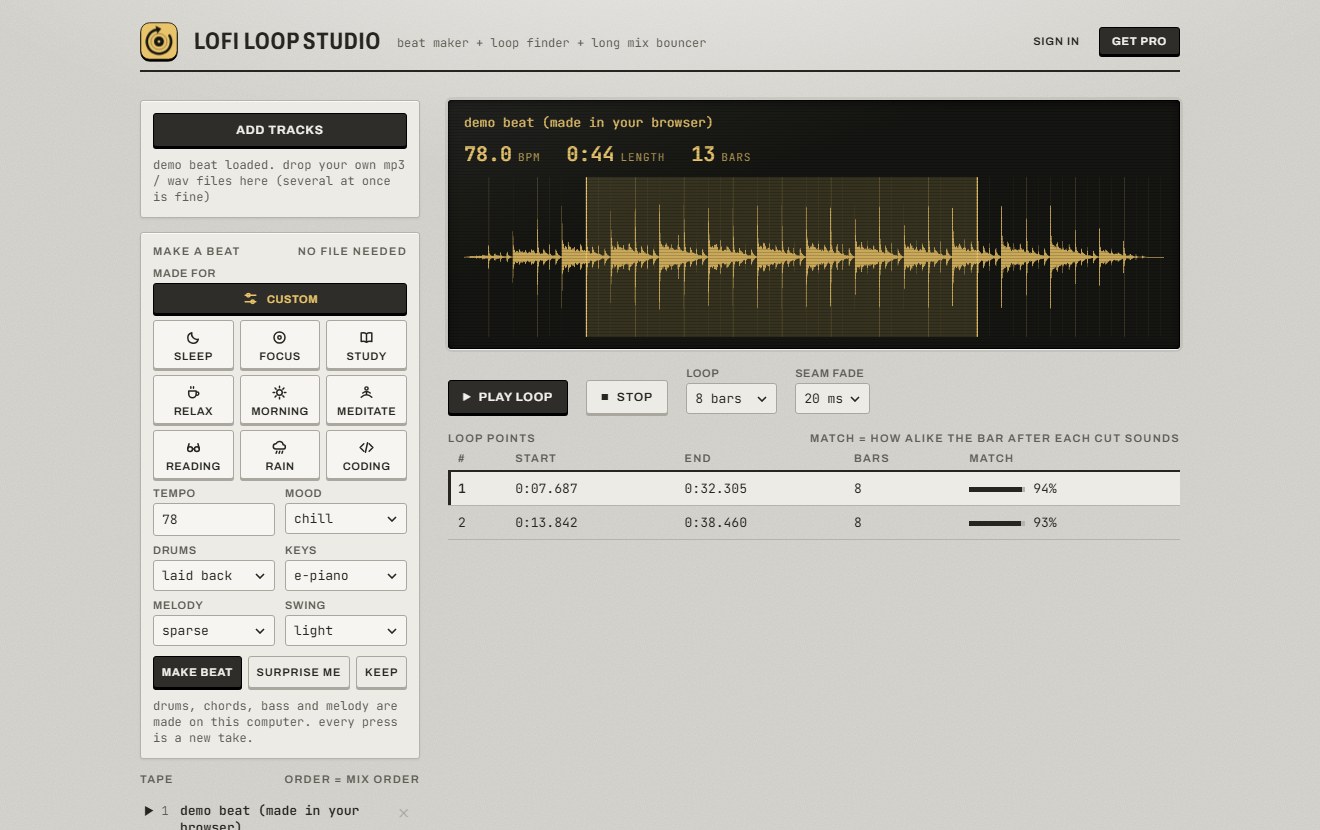
Drums, chords, bass and melody, made on your computer. Every press is a new take.
Finds where a track repeats and lines the loop up to the sample, so the repeat never jumps.
Intro, the loop for as long as you ask, then the outro. Several tracks blend into one mix.
Laid under the music, and heard in the preview before you bounce.
MP4 with your cover image and an optional title, ready to upload.
Analysis and encoding happen in your browser. Your tracks and mixes are never uploaded.
Everything you need to make a beat, find its loop and bounce a half hour mix is free. Pro removes the limits.
| FreeNo account, no card | ProPay once, no subscription | |
|---|---|---|
| Beat maker | Yes | Yes |
| Loop finder and preview | Yes | Yes |
| Mix length | 30 minutes | Any length, 10 hours and more |
| Tracks in one mix | 1 | Unlimited |
| Audio quality | 128 kbps | Up to 256 kbps |
| MP3 export | Yes | Yes |
| MP4 video with cover image | No | Yes |
| Loop rotation | No | Yes |
| Ambience scenes | No | All 13 |
| Open the studio | Get proPro is on your account |
Pro unlocks as soon as the payment goes through. Sign in first and it is saved to your account for any browser; without an account you get a license key to keep.
Yes. Making beats, finding loops and exporting MP3s are free, with no account and no card. The free version keeps one track on the tape and bounces mixes up to 30 minutes at 128 kbps. Pro removes those limits and adds MP4 video, ambience and loop rotation.
Press Get pro in the studio and pay once with Stripe. There is no subscription. Pro unlocks as soon as the payment goes through, with nothing to copy or paste. You also get a license key to keep, in case you ever need to restore pro.
No. Everything works without one, including buying pro. An account is optional: sign in with Google or with an email and password, and pro is saved to it, so it works on any browser you sign in to.
Yes. If you are signed in, sign in on the other computer and pro is there. Without an account, pro is tied to one browser at a time: press “remove key” in the studio on the old one, then enter your key on the new one.
No. Your audio is read, analysed and encoded by your own browser and never leaves your computer. The only things sent over the internet are your sign-in details, if you sign in, and your pro key when it is checked.
The beat maker uses no samples or recordings; every sound is generated on your computer. For tracks you add yourself, you need the rights to use them.
A 3 hour MP3 takes a few minutes on a typical laptop. Keep the tab open while it encodes; you can do other things in other tabs.
It is made for Chrome, Edge and Brave on a computer. MP4 video export needs one of those. Other browsers have not been tested.